
NEWS
Windows 11 26H2 Lands With Mitigated Bugs and a Deadline
Windows 11 26H2 went live with three Mitigated bugs still open, while 24H2 Home and Pro lose security updates on October 13, 2026.

Windows 11 version 26H2 went to general availability on September 29, 2026 with three bugs still marked Mitigated on Microsoft’s health page. That dashboard last refreshed those entries at 13:05 PT the same afternoon, after a launch note that sold the upgrade as a tiny package and one restart.
The bugs are not unique to 26H2. USB silence, broken domain trust, and black virtual-desktop sessions already sit on the 25H2 and 24H2 health pages, tied to August and September updates. Installing 26H2 can still start them on a PC that has been fine, because the new version is a switch on shared code, and Microsoft has not closed the underlying failures.
Three Open Bugs on a Brand-New Version
Microsoft’s 26H2 status page lists three mitigated bugs on the 26H2 health page and sets originating update to N/A for each one. The 25H2 page is blunter. It pins USB audio and domain trust to the September 8, 2026 security update KB5124008 (OS build 26200.9445) and pins the black screen to the August 27, 2026 preview KB5120998 (OS build 26200.9278).
THE 26H2 HEALTH PAGE ON SEPTEMBER 29
| Issue | Opened on the 26H2 page | Who it hits | What Microsoft still owes |
|---|---|---|---|
| USB Audio Class 1.0 fails or goes silent | September 11, 2026, 18:36 PT | Client from 26H2 through Windows 10 LTSC 2016, plus several Server releases | A future update for Code 10, no output, and dead volume |
| Domain-joined PCs lose their trust relationship | September 16, 2026, 14:15 PT | Windows 11 26H2, 26H1, 25H2, and 24H2; no Server SKUs listed | A future update that stops Machine Identity Isolation from enforcing too early |
| Black screen or desktop fail after sign-in | September 24, 2026, 18:47 PT | Mostly Azure Virtual Desktop hosts using FSLogix, same four client versions | A future update; KIR is the hold |
On the 26H2 page each write-up still starts with “After installing Windows 11, version 26H2.” That wording matters for anyone who has not hit the bug yet. A clean 24H2 or 25H2 box can pick up USB, domain, or desktop failures at the moment the version flips.
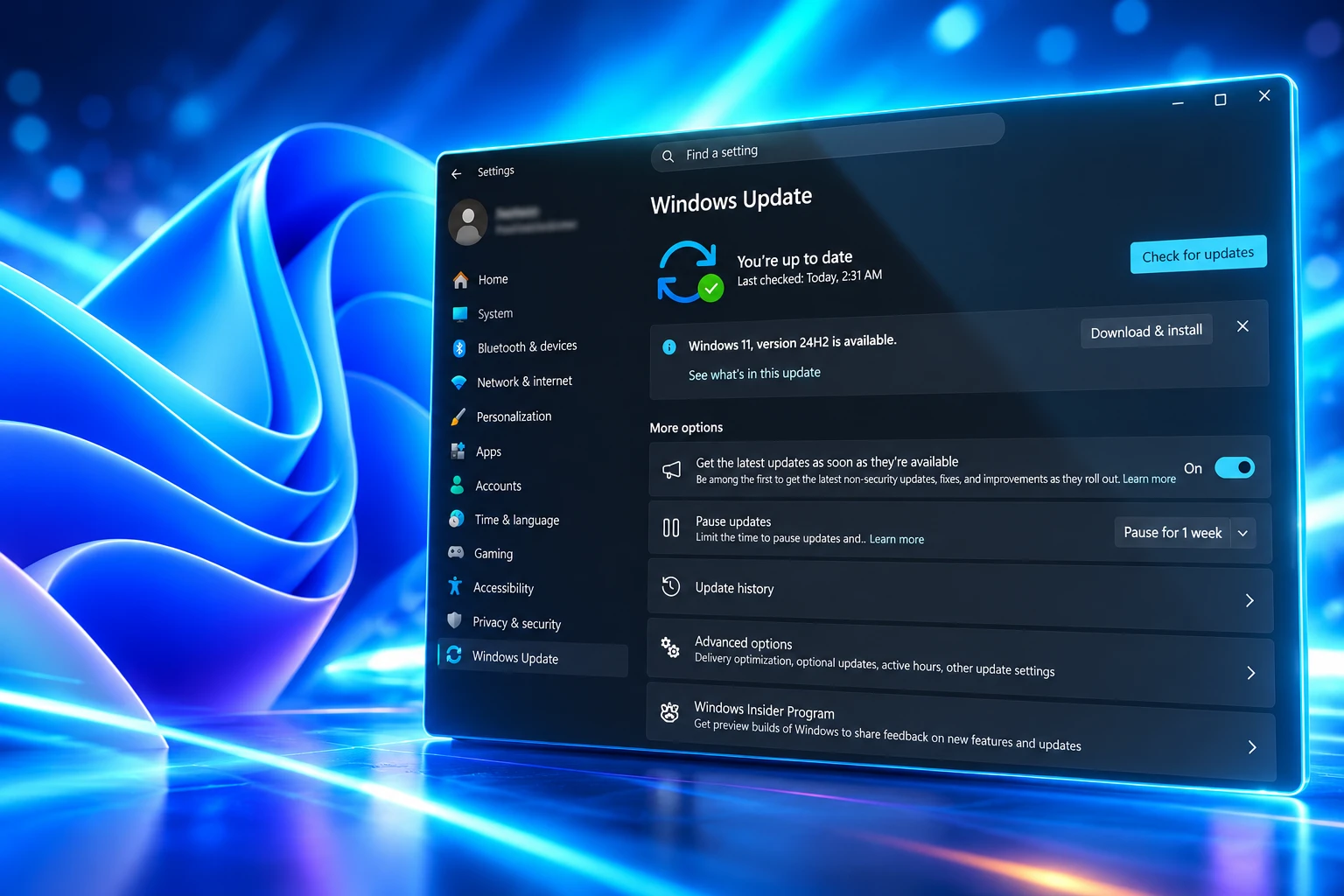
Mitigated Is Microsoft’s Word for a Partial Fix
Mitigated is not Resolved. Microsoft left all three 26H2 entries in that middle bucket on launch day and said it is still working. For USB audio, IT admins who still need a workaround for symptoms the out-of-band patch missed are told to call Support for Business. For domain trust, the promised fix is a later update that will temporarily block Machine Identity Isolation enforcement. For the black screen, the company says a resolution will arrive in a future Windows update.
The 25H2 health notes already moved other September 8 fallout to Resolved. Remote Desktop Services instability and missing Plan9 host-folder shares in Hyper-V Linux VMs both closed after the September 14, 2026 out-of-band update KB5129195, six days after Patch Tuesday. USB audio only got part of that package. Microsoft’s 25H2 notes say KB5129195 restored 8-channel and 3D modes that had died on some Class 1.0 devices. Code 10, no output, frozen volume, and a dead Sound panel remain on the list.
A status of Mitigated is enough for a lot of upgrade rings to keep moving, because a KIR, a registry key, or a stereo fallback exists. It is not the same as the bug being gone. Microsoft has not given a date for the remaining USB, domain, or Explorer fixes.
24H2, 25H2 and 26H2 Share the Same Broken Code
John Cable, vice president of product management for Windows servicing and delivery, framed 26H2 as a quiet year. Versions 26H2, 25H2, and 24H2 share a servicing branch and the same core files, so the new features were already riding along in monthly quality updates, sitting dormant until a small enablement package and a single restart turns them on.
For many eligible devices, moving to version 26H2 is as simple as installing a small enablement package, allowing people to start using this new release with minimal download size, quick installation, and a single restart.
John Cable, Vice President, Product Management, Windows Servicing and Delivery, Windows Experience Blog
The package is KB5121794. Microsoft’s support note says 24H2, 25H2, and 26H2 share “an identical set of system files,” and that 26H2 features stay off until that dormant 26H2 features already on the PC get the master switch. The prerequisite is the September 22, 2026 preview KB5124010 (OS builds 26100.9546) or a later cumulative. 26H1 is a different branch for new hardware and is not an in-place path from 24H2 or 25H2.
That shared branch is why 26H2 can look harmless and still inherit September’s damage. The official Windows Update account posted the launch as a faster, easier move for anyone already on a recent Windows 11 build, and pointed readers at the IT-pro guide and the health hub without naming the three open bugs.
— Windows Update (@WindowsUpdate) September 29, 2026
Cable also said Microsoft may place safeguard holds where a known compatibility issue would spoil the update, and that commercial customers should start with targeted rings. The 26H2 health page links to safeguard-hold guidance and does not list a hold that blocks the version itself. The rollout is phased over the next few months. Turning on “Get the latest updates as soon as they’re available” is how a home PC jumps the queue.
Code 10 on USB Audio Class 1.0 Devices
Class 1.0 is the older USB audio spec, the inbox usbaudio.sys path, not the high-rate Class 2.0 interfaces that serious DACs moved to years ago. Plenty of cheap headsets, dongles, and conference speakers still speak 1.0. After 26H2, Microsoft says some of those devices may fail to start or produce audio.
SYMPTOMS MICROSOFT LISTS FOR CLASS 1.0
- Device Manager: The device shows “This device cannot start (Code 10).”
- Silence: There is no audio output from the device at all.
- Volume: Controls do not respond or stay at zero.
- Settings: Sound settings do not respond or are unavailable.
The 26H2 summary line still mentions multichannel modes after the September 8 update, even though the 25H2 notes treat 8-channel and 3D failure as the piece KB5129195 already handled, sometimes after a drop back to 2-channel stereo. If a headset works in stereo and dies in surround, the out-of-band patch is the first thing to confirm. If Device Manager is already on Code 10, Microsoft is still writing the rest of the fix.
The USB list is wide: Windows 11 26H2, 26H1, 25H2, 24H2, and 23H2; Windows 10 22H2, 21H2, Enterprise LTSC 2019, and Enterprise LTSC 2016; Windows Server 2025, 2022, 2019, 2016, 2012 R2, and 2012. This is a servicing regression that 26H2 happens to carry, not a 26H2-only driver rewrite. An ISO install that seems to restore a DAC does not contradict that. It only shows the failure is uneven, which is why Microsoft never named models.
Why Domain-Joined PCs Lose Their Trust Relationship
The domain bug is the one home USB advice does not cover. After 26H2, some Credential Guard protected machine accounts can lose their secure channel to on-premises Active Directory. Users then cannot sign in interactively with valid domain credentials and may see a message that the trust relationship between the workstation and the domain failed. Cached offline sign-in can still work. Domain controllers themselves, and AD replication, are not in the blast radius.
Microsoft’s own cause statement is specific. 26H2 enables Machine Identity Isolation. The version does not flip enforcement on by itself. It starts honoring existing or policy-provisioned settings that already asked for enforcement. That feature is supported only against domain controllers running at a Windows Server 2025 domain functional level or higher. Anywhere else, Microsoft says it should be disabled. Boxes that were preconfigured for isolation and are not talking to Server 2025 DCs are the ones that break.
The workaround is to disable isolation the same way it was turned on, then repair the secure channel. Intune and group policy both have a documented off switch. If the setting was written straight to the registry, Microsoft names two keys, HKLM\SYSTEM\CurrentControlSet\Control\Lsa\MachineIdentityIsolation and HKLM\SOFTWARE\Policies\Microsoft\Windows\DeviceGuard\MachineIdentityIsolation. When MachineIdentityIsolation is 2, set it to 0, restart, then run Test-ComputerSecureChannel -Repair with domain credentials. That is an admin recovery, not a consumer toggle. Affected platforms are Windows 11 26H2, 26H1, 25H2, and 24H2 only.
On 25H2 the same failure is attributed to KB5124008 and later updates, which began honoring those isolation settings the same way. The 26H2 enablement package can surface a policy that had been inert. Microsoft plans to stop that enforcement temporarily in a later update while it reworks the feature. Until then, a domain fleet that already deployed isolation toward Server 2025 is the hidden stakeholder in a story that looks like a headset bug from the outside.
Black Screens After Sign-In on Azure Virtual Desktop
The third entry opened on September 24, 2026, at 18:47 PT, five days before 26H2 launched. After 26H2 and later updates, some devices fail to load a desktop. Microsoft says this has been seen mainly on Azure Virtual Desktop hosts that use FSLogix, more often with existing user profiles than with fresh ones.
A black screen appears after sign-in and the session does not start on its own. Users may have to launch the desktop by hand. Application event logs can show Windows Explorer crashes. The quick recovery is Task Manager (Ctrl+Shift+Esc), Run new task, explorer.exe. That gets one person back. It does not fix a host pool.
For managed devices the real hold is a Known Issue Rollback group policy. Microsoft published MSI packages named KB5124010 260924_20021 for Windows 11 26H2, 25H2, and 24H2, and KB5124006 260924_20071 for 26H1. IT has to install the package, configure the policy under Computer Configuration, Administrative Templates, and restart. The policy turns off the change that causes the Explorer failure until a proper update ships. Server SKUs are not listed as affected. This is a VDI operations problem, and the people who feel it are the ones who cannot tell a user to wait a month.
October 13 Ends Updates for 24H2 Home and Pro
The reason “just wait” is a thinner answer than it was in other years sits on Microsoft’s lifecycle tables. Installing 26H2 resets support: 24 months for Home and Pro, 36 months for Enterprise and Education, with servicing counted from September 29, 2026. Home and Pro on 26H2 are listed through October 10, 2028. Enterprise and Education on 26H2 run through October 9, 2029.
24H2 Home and Pro do not get that luxury. Microsoft’s client support table sets the 24H2 Home and Pro end of updates at October 13, 2026, fourteen days after 26H2 launched. After that date those editions no longer get fixes for known issues, time zone updates, technical support, or monthly security rollups. Enterprise and Education on 24H2 stay in support until October 12, 2027. KB5124010 was already billed as the final non-security preview for 24H2.
HOW THE BUGS AND THE VERSION LANDED
- August 27, 2026: KB5120998 preview ships; 25H2 later ties it to AVD black screens.
- September 8, 2026: Security update KB5124008 ships; USB Class 1.0 and domain trust break on the 25H2 page.
- September 11, 2026: USB issue opens on the 26H2 health page.
- September 14, 2026: Out-of-band KB5129195 partly restores multichannel USB audio and closes RDS and Plan9 items.
- September 16, 2026: Domain-trust issue opens on the 26H2 page.
- September 22, 2026: KB5124010 preview becomes the 26H2 enablement prerequisite and the last 24H2 preview.
- September 24, 2026: Black-screen issue opens, with KIR packages dated 260924.
- September 29, 2026: 26H2 reaches general availability; all three bugs are restamped Mitigated at 13:05 PT.
- October 13, 2026: 24H2 Home and Pro stop receiving security updates.
A PC that is already healthy on 25H2, with no USB Class 1.0 gadget, no Credential Guard isolation policy, and no FSLogix host role, can take 26H2 as the small restart Microsoft advertised. A domain fleet that turned on Machine Identity Isolation before its DCs were at Server 2025 DFL should disable that setting first. AVD rings should land the KIR before they flip the enablement package. 24H2 Home and Pro that skip both 25H2 and 26H2 run out of monthly security patches on October 13, 2026, with those three bugs still in the Mitigated column.
Microsoft has not said which monthly release will promote the three entries to Resolved. Until it does, 26H2 is a version change on shared files, a new support clock, and the same September failures with extra paperwork if they wake up on the way through.

Nesta Finds a Baby Blind Spot in Scotland’s GIRFEC Promise

FDA Closes Cyclospora Lettuce Probe Without Proving How

Pixel Watch 5 Discount Erases Google’s $50 Launch Hike

Pokémon GO Halloween 2026 Locks Candy Behind a Pass

ARX Robotics and Roboneers Tie Ukraine Combat to Western Fleets

Where Can I Cash a Comcheck – What Are My Options?

Ostrich Farms Rebuild Around a Tick-Bite Meat Allergy

The Yen Rally Was Funded by a Record Reserve Sale

OpenAI Turns ChatGPT Into a $1 Billion Ad Auction

Arm Bets Compute Subsystems Will Reach Physical AI
-
 LIFESTYLE3 years ago
Where Can I Cash a Comcheck – What Are My Options?
-
 BUSINESS2 months ago
Ostrich Farms Rebuild Around a Tick-Bite Meat Allergy
-
 BUSINESS2 months ago
The Yen Rally Was Funded by a Record Reserve Sale
-
 BUSINESS2 months ago
OpenAI Turns ChatGPT Into a $1 Billion Ad Auction
-
 NEWS2 months ago
Arm Bets Compute Subsystems Will Reach Physical AI
-
 NEWS2 months ago
Coremail Pitches AI-Native Email Security at LEAP 2026
-

 NEWS1 month ago
Gottheimer’s AI LABS Act Enters an Already Crowded Field
-
 LIFESTYLE3 years ago
Where to Get a Mantoux Test – What Are the Available Locations?